Modderguy APK: What You Should Know Before You Install
The Modderguy APK is the Android file of a sports stream-link app that you can’t get from Google Play. This page lists the file facts we could confirm, the checks to run before you open it and the steps to remove it later. It is an independent guide, so it doesn’t host the file or any stream.
Reported v3.0 · about 12.5 MB · Android 7.0+ · developer not named · no file hosted here
Modderguy APK File Facts
No developer page or store listing exists. So we compared the top-ranked pages and, where they disagree, used the newest dated source.
| Detail | Reported value |
|---|---|
| Latest version | 3.0 |
| File size | about 12.5 MB |
| Android version | 7.0 or higher |
| Last dated update | April 2026 |
| Developer | Not named |
| Package name | Not published |
| Google Play | Not listed |
| Price | Free, no sign-up |
Treat these values as a snapshot. In fact, each download site may carry a different build, and nobody can confirm which one is the original.
What the App Does
The app shows a list of live matches with links to streams. However, those streams come from third parties, and the app doesn't host them. Its own pages admit that rights holders have not authorised the streams. As a result, links often stop during a match, and the quality changes from one link to the next.
You can read the bigger picture on our Modderguy home guide, which covers how the service works and why there are so many copies.
Before You Download the Modderguy APK
A file from outside Google Play skips Google's review. That means the safety check is now your job. Run these checks first.
01
Check the source. Many sites use the name, and none can prove it is the official one. Be wary of any page with fake timers or several download buttons.
02
Compare the file size. A file much bigger than about 12.5 MB may bundle extra software.
03
Scan the file. Upload it to a trusted scanner or use your antivirus app before you open it.
04
Keep Play Protect on. Google Play Protect checks apps on your phone, even ones from outside the store.
05
Use a spare phone if you can. Then a bad file can’t reach your banking or work apps.
If any check fails, delete the file and stop there.
How the Modderguy APK Install Works
We explain the steps so you know what each one does, not to push you to install. Android asks for your permission at every stage.
- Download the file to your phone. Your browser may warn you that this type of file can harm your device.
- Open the file from your Downloads folder.
- Android asks you to allow installs from that app, such as your browser or file manager. This is the "unknown apps" setting.
- Tap Install, then wait for the setup to finish.
- After that, go back to Settings and turn the "unknown apps" option off again.
The last step matters most. Since the setting stays on until you change it, any page could later try to slip another file onto your phone.
Permissions to Watch For
A link app needs very little to run. For example, internet access is enough to load match lists and streams. So be careful if a build asks for any of these:
| Permission | Why it is a red flag |
|---|---|
| SMS | Can read one-time passwords from your bank |
| Contacts | Can copy your address book |
| Call logs or phone | Has nothing to do with streaming |
| Accessibility service | Can read and tap your screen |
| Install other apps | Can add more apps without asking |
If you see one of these, cancel the install. Also, check the list again after each update, because new builds can add permissions.
Fake Copies of the Modderguy APK
Copies with the same name and icon spread fast during big tournaments. Some only add more ads. Others may hide adware that keeps running in the background. Here are the common signs:
- the page asks you to install a second "player" or "booster" app first;
- a survey, a timer or a "verify you are human" step stands before the download;
- the file name ends in something other than .apk, such as .exe or .zip;
- its size is far from the reported 12.5 MB.
On top of that, never pay for a "premium" build or a VIP link. There is no paid version you can verify.
Common Modderguy APK Install Errors
Install problems are common with files from outside Google Play. Here is what the usual messages mean.
| Message | What it usually means |
|---|---|
| App not installed | The file is damaged, or an older copy with a different signature is still on the phone |
| There was a problem parsing the package | The download stopped early, or your Android version is too old |
| Blocked by Play Protect | Google flagged the file as unknown or harmful |
| Install blocked | The "unknown apps" setting is off for that app |
Take the Play Protect warning to heart. In fact, it is often the only review the file gets. So if Play Protect blocks it, don't override the warning.
Storage, Battery and Data
The file itself is small. Still, streams use a lot of data, and the ads inside stream pages add more. For example, an hour of live video uses far more data than a day of normal browsing. Also, apps that keep running in the background can drain your battery. So check Settings, then Battery, after a few days of use. If the app sits near the top of that list while you don't use it, remove it.
Updating the App
Old builds often stop loading match lists when the service changes. Still, an update brings the same risks as the first install. So repeat the checks each time: source, size, scan and permissions. Never let a stream page update the app for you through a pop-up.
How to Uninstall the Modderguy APK
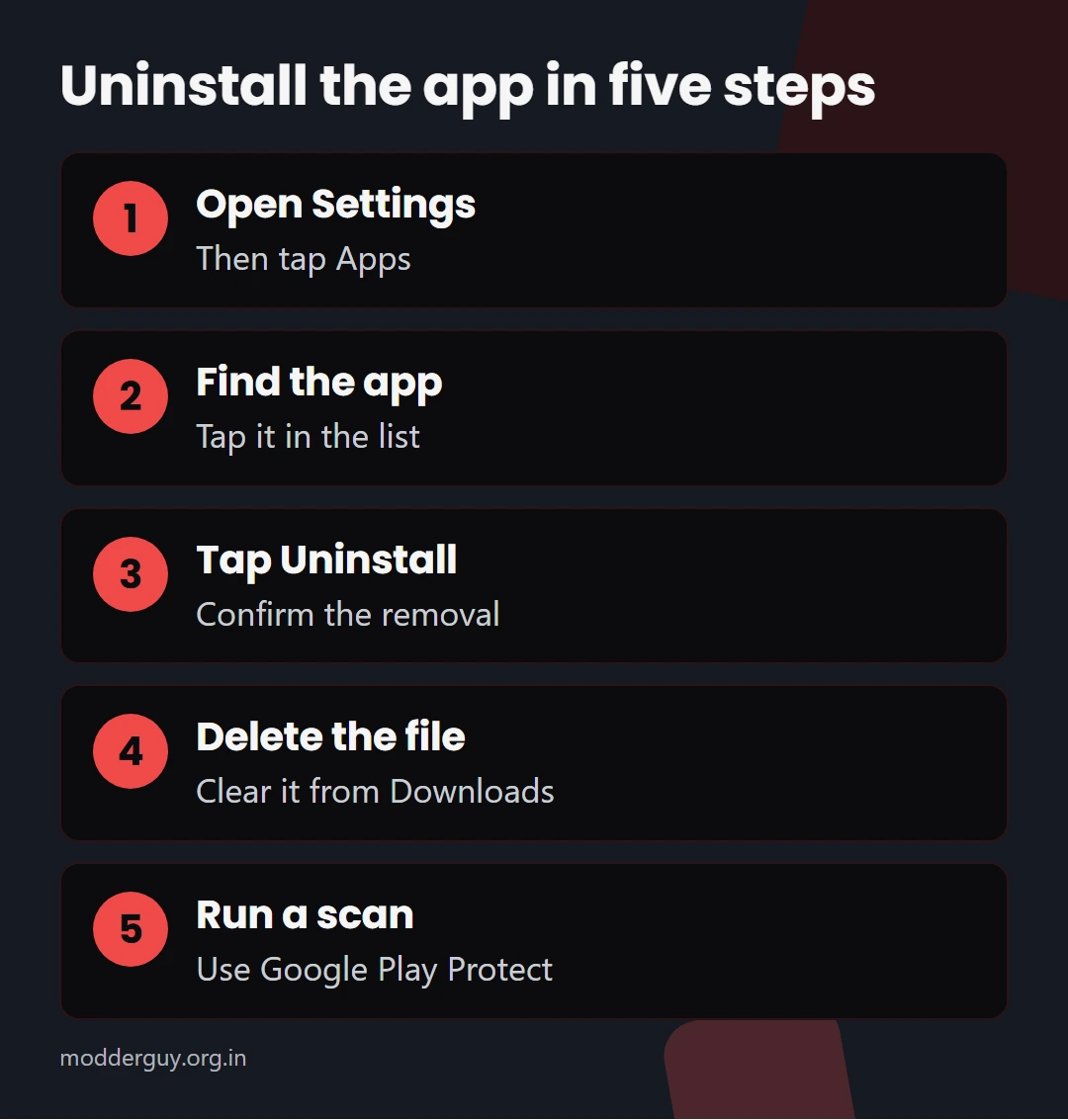
Removing the app takes a minute.
- Open Settings, then Apps.
- Find the app in the list and tap it.
- Tap Uninstall, then confirm.
- Next, open your Downloads folder and delete the old file.
- Last, run a Play Protect scan to check that nothing else stayed behind.
If odd pop-ups keep showing after that, look for apps you don't remember installing and remove them too.
Devices That Can Run It
The file only runs on Android. Android phones, tablets, Android TV and many TV boxes can install it. However, iPhones, iPads, Samsung Tizen TVs and LG webOS TVs can't. On a PC, it needs an Android emulator, which adds one more layer to manage.
For a safer route on any device, see our legal options for live cricket. The safety guide also covers each risk in more depth.
Rather skip the risk?
Licensed apps stream cricket in India with no unknown files.
Modderguy APK FAQ
Is the Modderguy APK on Google Play?
No. Google Play doesn’t list it, so you can only find it as a file on other sites.
What is the latest version?
Most sources report version 3.0, at about 12.5 MB. Still, each site may carry a different build.
Which Android version does it need?
The newest dated source says Android 7.0 or higher. Older phones may fail to open it.
Who makes the app?
No source names a real developer or package name. So you can’t check who built the file.
Is it safe to install?
There is real risk. Unknown files can carry adware, so scan the file and refuse extra permissions first.
Disclaimer
Modderguy.org.in is an independent guide. It is not the app's developer and has no link with any of its websites. This site hosts no file and no stream, and it never promises free access to paid or copyrighted content.